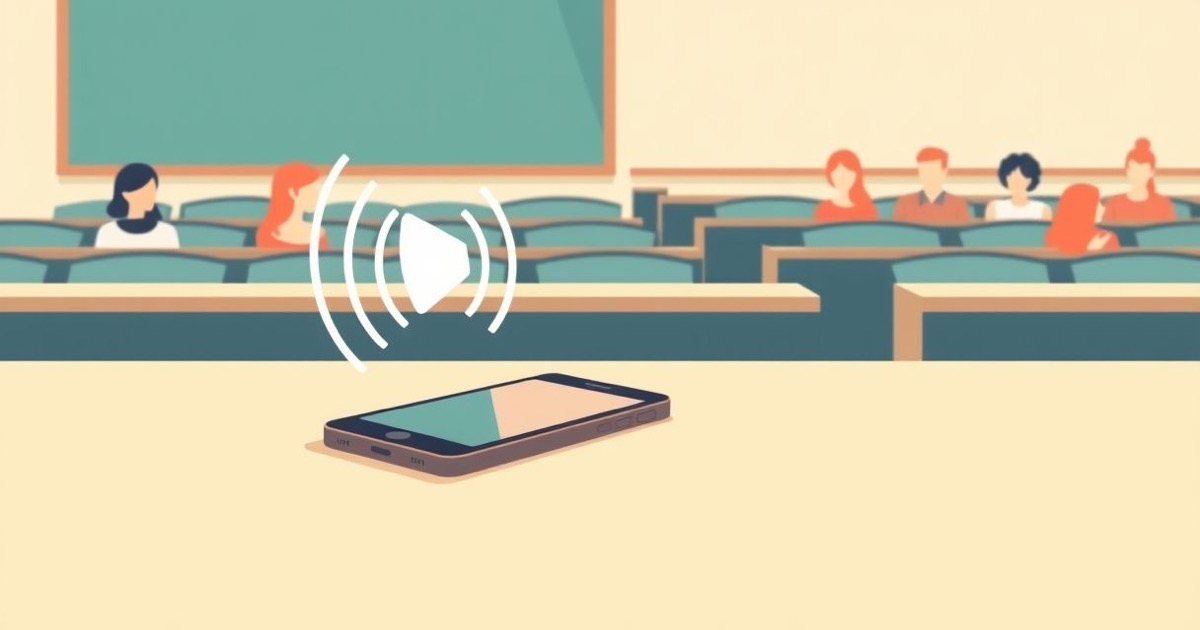
Forty minutes into an organic chemistry lecture, Maya realizes she has stopped understanding and started transcribing. The professor is drawing a reaction mechanism on the board and talking through it faster than anyone can write. Her notes from the last ten minutes are word-for-word fragments of sentences she didn't process — and the exam is in three weeks. Around her, half the hall has given up on notes entirely and is quietly filming the board with their phones held at chest height, like they're bootlegging a concert.
Both halves of that lecture hall are making the same mistake in opposite directions. The frantic transcribers are capturing everything and learning little. The phone-filmers are betting they'll "watch it later," which — be honest — they won't. There's a better way to use the recorder in your pocket, and it starts with understanding two things: what your university actually allows, and what the research says recording does to learning.
First: are you allowed to record your lectures?
This is the question students skip, and it's the one that can actually get you in trouble. There is no universal answer — it depends on your university's policy, your professor, and in some places, recording-consent law. Broadly, university policies fall into three buckets: roughly a fifth of schools have open policies that let you record any lecture for personal study; about half require the professor's explicit permission (written or verbal, usually at the start of the semester); and the rest restrict recording to specific cases — most commonly disability accommodations arranged through the campus accessibility office.
Two rules hold almost everywhere. One: an approved accommodation beats a professor's preference — if your accessibility office has authorized recording as an aid, instructors are notified and it stands, though you typically must not share the files. Two: distribution is where students actually get burned. Recording for your own review is usually fine or forgivable; uploading a professor's lecture to a group chat, Discord, or YouTube can violate copyright (lectures are the professor's intellectual property), university conduct codes, and classmates' privacy all at once.
The recording trap: why a perfect archive can lower your grade
Here's the part most "best lecture recording apps" articles won't tell you: a recording, used badly, makes you learn less. The classic study is Mueller and Oppenheimer's 2014 paper in Psychological Science, which found that students taking laptop notes performed worse on conceptual exam questions than longhand note-takers. The mechanism matters more than the medium: laptop typists captured more words but processed fewer ideas, sliding into verbatim transcription instead of summarizing in their own words. Later replications found the picture messier than the headlines suggested, but the core finding survives: capturing information is not the same as encoding it.
A recording is the ultimate verbatim capture — which means treating it as your primary note-taking method recreates the laptop problem at industrial scale. Worse, knowing everything is captured gives your brain permission to disengage. Psychologists sometimes call this cognitive offloading: when we trust an external device to remember, we invest less effort in remembering ourselves. If you record and then re-listen passively, you're studying with the least effective known review method — recognition — while feeling productive the whole time.
So should you skip recording? No — you should change its job description. The recording is not your notes. It's your insurance policy: the thing that lets you take sparse, conceptual, in-your-own-words notes during class without the anxiety of missing something, because anything you miss is recoverable. That anxiety is exactly what pushes students like Maya into transcription mode. Remove it, and you free your working memory to actually think during the lecture. (This is the same reason we've argued that people forget most of what happens in meetings — the forgetting curve doesn't care whether the room is a boardroom or a lecture hall.)
Three ways to record a lecture on iPhone
1. Voice Memos. Free, pre-installed, reliable. Tap record, put the phone face-down on your desk (mics uncovered, away from your laptop fan and your sleeve), and you'll get surprisingly usable audio even in a mid-size hall. The catch: you get an audio file and nothing else. Finding "the part where she explained SN2 stereochemistry" in a 75-minute file means scrubbing blindly, which is why most Voice Memos lecture recordings are never opened again.
2. Notes app transcription. On recent iOS versions, the Notes app can record audio and produce a transcript on newer iPhones. This is a real upgrade — searchable text beats raw audio. The limits show up at lecture scale: transcripts are plain walls of text with no summary, no structure, and no way to separate the professor's tangent about their sabbatical from the three sentences that will be on the exam.
3. A dedicated AI recorder. Purpose-built apps add the layer that makes recordings actually reviewable: automatic summaries, key points, and searchable transcripts organized by session. This is where you have a genuine decision to make — because most of the popular ones are cloud services, and a lecture hall is just about the worst place to point a cloud microphone.
The cloud problem nobody mentions in the app roundups
When you record a lecture, you're not just recording the professor. You're recording the student two rows back asking a question she'd be mortified to find on a server, the TA's offhand comment about grading, and — in seminars — an entire room of identifiable voices. Cloud transcription services upload all of it for processing, and their terms around retention and model training vary from vague to alarming. If your recording permission came through a disability accommodation, the terms usually say personal use only — and it's genuinely unclear whether piping the audio through a third-party cloud service honors that. The same consent logic that applies to AI notetakers in work meetings applies in a classroom, except the room is bigger and nobody was asked.
Record the lecture. Keep it on your phone.
Meetly transcribes and summarizes recordings entirely on-device with WhisperKit — the audio never leaves your iPhone, so a lecture full of classmates' voices stays exactly where it was recorded. You get searchable transcripts and automatic summaries in 90+ languages, with no account, no cloud, and no bot joining anything. Press record, take real notes, and let the phone handle the insurance.
Download MeetlyThe system: record everything, write almost nothing, review the right way
Here's the workflow that uses recording the way the learning science says to use it — as a safety net under active engagement, not a replacement for it:
- Start recording, then close the transcript. Hit record at the start of the lecture and forget it exists. The point is to eliminate capture anxiety, not to watch words scroll by.
- Take sparse, conceptual notes by hand. Write ideas in your own words, questions that occur to you, and connections — never full sentences from the slides. If you catch yourself transcribing, stop and write a question instead.
- Mark the gaps. When something flies past you (a derivation, a definition, a fast example), don't panic-scribble. Write a quick marker — "?? SN2 stereochem ~40min" — and move on. The recording has it.
- Within 24 hours, review actively — not by re-listening end to end. The forgetting curve is steepest in the first day. Read your sparse notes, try to reconstruct the lecture's argument from memory, then use the transcript search or summary to patch only your marked gaps. Ten targeted minutes beats a 75-minute passive replay.
- Turn gaps into retrieval practice. The questions you wrote in step 2 are a ready-made quiz. Testing yourself on them is the single most evidence-backed study technique there is — and it's only possible because your notes are questions and ideas, not a transcript.
Notice what the recording is doing in this system: nothing, most of the time. That's success. You'll open maybe one lecture in five — but for that one (the missed class, the brutal derivation, the week before finals), having a searchable, summarized version instead of a 75-minute audio blob is the difference between the insurance paying out and not.
When the professor says no
Some will — guest speakers, clinical material, discussion-heavy seminars where students share personal experiences, or simple preference. Respect it without argument; recording anyway in a permission-required school is a conduct violation, and in some jurisdictions worse. Instead: sit front-center where attention is easiest, use the sparse-notes-plus-questions method (it works without a recording, just with less slack), ask whether slides or a course recording are posted, and if you have a genuine need — a disability, or lectures in your second language — go through the accessibility office rather than around the professor. If your issue is that lectures are delivered in a language you're still mastering, that's also worth raising: it's precisely the case where a private on-device recorder with multilingual transcription is a legitimate accessibility tool, and framing it that way changes the conversation.
Back to Maya, week eleven. Her phone is face-down on the desk, recording. Her notebook has nine lines on it — three ideas, four questions, two "??" markers. She's watching the mechanism on the board instead of racing it, and for the first time this semester she asks a question mid-lecture, because she finally has the spare attention to have one. Sunday, she'll spend fifteen minutes with the summary and her question list. The recording did its job by doing almost nothing: it let her be a student in the room instead of a stenographer.
Free to start, built for back-to-back lectures
Meetly records, transcribes, and summarizes on-device — lectures, seminars, office hours, thesis interviews — with everything searchable and nothing uploaded. No account to create, no bot to invite, and a free tier that covers a normal course load. Your professor's voice, your classmates' questions, and your own "wait, what?" moments stay on your phone.
Download MeetlyFrequently asked questions
Is it legal to record a lecture without the professor's permission?
It depends on your university's policy and local law, not just on you. About half of universities require professor permission, roughly a fifth allow open recording for personal study, and the rest restrict recording to cases like disability accommodations. Even where recording is allowed, sharing or posting the recording can violate copyright and student conduct codes. When in doubt, ask the professor or check the syllabus — most say yes to personal-use audio recording.
Can I record lectures as a disability accommodation?
Yes. Recording lectures is a standard accommodation arranged through your campus accessibility or disability services office. Once approved, professors are notified and generally cannot refuse it, though you're normally required to keep recordings for personal use only and often to delete them at term's end.
What's the best way to record a lecture on an iPhone?
Put the phone face-down on your desk with the microphones uncovered, as close to the front as you can sit, away from laptop fans and rustling sleeves. Voice Memos works for raw audio; the Notes app adds a basic transcript on newer iPhones; a dedicated on-device app like Meetly adds automatic summaries and searchable transcripts without uploading classroom audio to a cloud server.
Is recording a lecture better than taking notes?
No — used alone, it's worse. Research on note-taking (including Mueller and Oppenheimer's 2014 study) shows that verbatim capture produces poorer conceptual learning than sparse notes in your own words, and passive re-listening is a weak review method. The evidence-backed combination is both: record as a safety net, take minimal conceptual notes by hand, and review actively within 24 hours using the recording only to patch specific gaps.
Do lecture transcription apps upload my recordings to the cloud?
Most popular ones do — transcription and AI summaries typically run on the company's servers, which means your professor's lecture and your classmates' voices are uploaded under whatever retention terms the service sets. If that concerns you (or your recording permission is personal-use only), choose an app that transcribes on-device, like Meetly, so the audio never leaves your phone.